20 AI Tools for Creating Presentations can help Executive Assistants cut hours off the process of building polished decks and still deliver something your executive will be proud to present. As assistants, we know the pressure. Your executive needs a sharp presentation, the brand has to be spot on, and you’re already juggling ten other priorities. This roundup of 20 AI Tools for Creating Presentations focuses on what matters to us: speed, brand control, easy edits, and clear storytelling.
We’ve tested tools that generate full decks from a short prompt, others that plug into PowerPoint or Google Slides, and a few that shine for sales or data-heavy updates. We’ll call out where each tool saves time, where it needs a human touch, and when it’s worth switching from your usual workflow.
By the end, you’ll know which of the 20 AI Tools for Creating Presentations to try first, how to use it for your executive’s needs, and where to skip the hype. We’ll keep this practical, friendly, and honest. And if a tool still means twenty minutes fixing bullet spacing, we’ll say so.
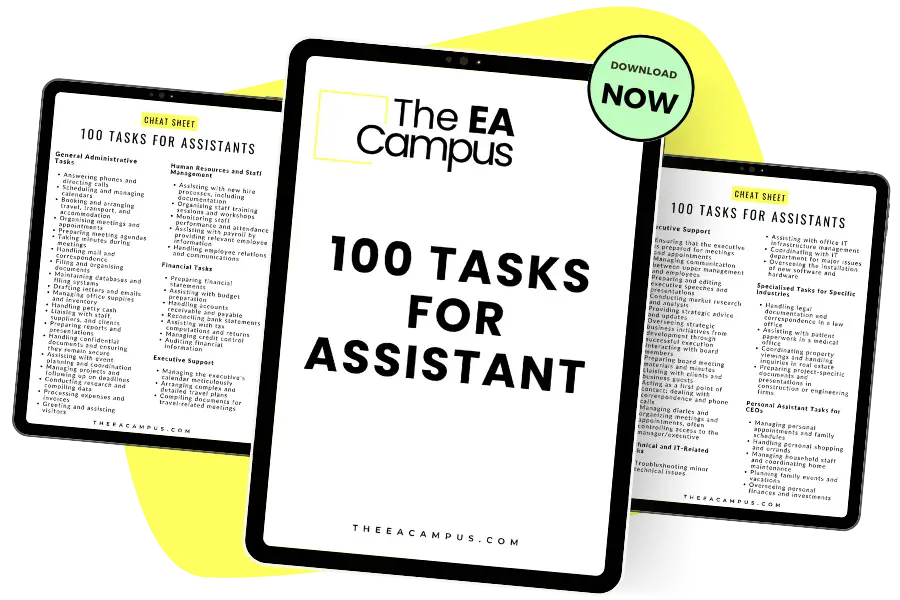
This List of Tasks for Executive Assistants Download helps you recall and record every task you handle, supports you in writing polished CVs and precise job descriptions, and recognises additional responsibilities you can undertake.
As Executive Assistants, most of us are still expected to deliver presentations in the familiar formats: PowerPoint and Google Slides. Your executive might be happy with a shiny new AI tool, but when it comes to sharing with colleagues, clients, or the board, the default is almost always one of these two. That’s why it makes sense to start with options from the 20 AI Tools for Creating Presentations that work inside the platforms we already know.
The biggest benefit here is the learning curve. You don’t need to switch to a completely new app or fight with exports that break your formatting. These tools sit inside PowerPoint or Google Slides, so you can create AI-generated slides without giving up the editing features you already use every day. For assistants, this means less time spent learning software and more time fine-tuning the content to ensure it meets the mark for your executive. Out of the 20 AI Tools for Creating Presentations, these are some of the most practical choices for everyday use. Here are a few options worth knowing about:
PowerPPTX: Upload your own template and get a polished draft that feels like it was built in-house rather than dropped in from a generic template library. Great for speed when your Executive needs something same-day.
Plus AI: Works directly inside PowerPoint and Google Slides. You can generate new slides, rewrite existing ones, or reformat content in seconds. A strong choice if you frequently need to update reports or pitch decks repeatedly.
Microsoft Copilot for PowerPoint: Solid for creating a draft from Word documents or prompts. It still needs editing, but if your executive loves sending you a 30-page report to turn into slides, Copilot can do a lot of the heavy lifting.
Gemini for Google Slides: Less polished than Copilot, but useful if your organization is firmly in the Google ecosystem. You can generate text and AI images directly in Slides without leaving your workflow.
SlidesAI: A Google Slides add-on that turns text into decks. Handy for quick outlines and simple presentations when you don’t have time to build slides from scratch.
These tools won’t replace your input; you’ll still need to polish the story and add context, but they do save time on structure and design. That’s why they stand out in any list of 20 AI Tools for Creating Presentations worth knowing about.
Sometimes a standard corporate deck isn’t enough. Maybe your Executive wants to impress investors, pitch an idea to leadership, or deliver something more engaging than the usual slides full of bullet points. That’s where AI tools focused on design and storytelling can really help us as Executive Assistants, and it’s why this group is an important part of the 20 AI tools for creating presentations we’re covering.
The difference here is that these platforms go beyond just creating slides. They’re built to make presentations look modern, interactive, and narrative-driven — the kind of decks that feel more like a polished story than a status update. For us, that means less stress about sourcing images, choosing layouts, or worrying whether the design looks professional. Out of the 20 AI tools for creating presentations, these are the ones that focus most on visual impact and engagement.
The learning curve is slightly steeper compared to traditional tools, as these platforms often have their own interfaces. But once you’ve built a deck or two, you’ll find they’re actually easier for producing something visually impressive without a design background. That’s why they stand out in any list of 20 AI tools for creating presentations, worth trying.
Here are some of the top options:
Gamma: Creates sleek, non-traditional decks that feel more like a web page than a slide deck. Great for Executives who want something fresh and interactive to stand out in meetings.
Beautiful.ai: Uses smart layouts that automatically adjust as you add content. It’s ideal if you want consistent, professional-looking slides without fiddling with spacing or alignment.
Canva Magic Design: Quick, visual-first presentations with strong themes and imagery. Perfect if you need something eye-catching but don’t want to spend hours tweaking.
Storydoc: Puts storytelling at the heart of the presentation. It helps structure content into a clear narrative and adds interactive elements, which can be especially useful for client-facing decks.
Visme: Offers polished designs with advanced charts, interactive elements, and multimedia. Best if your Executive wants a presentation that combines strong visuals with clear data storytelling.
These design-led tools won’t always be the right fit, but when you want to create impact or bring a story to life, they can save us from the “standard template” trap and give your Executive something memorable to share.

When your Executive is pitching to clients, updating stakeholders, or presenting to senior leadership, the structure of the deck matters just as much as the design. That’s where sales-focused platforms and AI frameworks come in. This group within the 20 AI tools for creating presentations is designed to help us build decks that follow a clear, persuasive flow without starting from a blank slide.
These tools are especially helpful for Executive Assistants because they don’t just drop content onto slides — they guide you through frameworks like sales storytelling, quarterly reviews, or persuasive pitches. That takes some of the pressure off us when we’re building presentations from scratch, and it ensures our executives look organized, confident, and credible. The learning curve is minimal compared to switching to a new design-heavy tool, since these platforms focus on structure first and design second.
Here are some strong options from the 20 AI tools for creating presentations:
Pitch: Tailored for sales teams, it comes with ready-made structures for pitching products and services, plus integrations with data apps to keep slides updated.
STORYD: Helps you apply storytelling frameworks like persuasive sales or investor pitches. Each slide is labeled with the type of message it should deliver, which is great for clarity.
Decktopus: Provides AI-driven content suggestions and smart templates that can be easily adjusted to your brand. A good choice if you often create repeatable decks.
Sendsteps: Adds interactivity with live polls, quizzes, and multilingual support, making presentations more engaging for audiences.
For Assistants, the real win with these tools is how quickly they turn a rough brief into a structured deck that feels thought through. Out of the 20 AI tools for creating presentations, these are the ones that can save you the most time when your Executive needs to persuade, pitch, or win people over.
Not every presentation tool is just about slides. Some of the most powerful options combine presentations with other AI features, such as video, image generation, and even full document creation. For Executive Assistants, this can be a game-changer when we’re asked to pull together more than just a deck – think reports, visuals, or even quick videos to support an Executive’s message. These all-in-one platforms, which are part of the 20 AI tools for creating presentations, provide us with more flexibility without requiring a whole library of separate apps.
The trade-off is that they can feel more complex at first, since you’re stepping into an entire suite rather than a single-purpose presentation tool. However, once you get used to them, they save a significant amount of time because everything is under one roof. Instead of switching between design, content, and video tools, you can manage the whole process in one place.
Here are some of the best all-in-one options from the 20 AI tools for creating presentations:
Design.AI: A broad creative suite with AI-powered slide decks, logos, voiceovers, and even social media content. Helpful if your Executive wants everything branded consistently.
Simplified: Combines presentation creation with copywriting, graphic design, and video editing. You can even turn slides into videos, which is great for training or internal comms.
Genspark: Generates slides alongside other media formats like documents, images, and audio. Strong for variety, though it sometimes needs extra editing to polish the final deck.
Manus: Another multi-purpose AI tool, offering website-style slides that look highly polished. It’s particularly suitable if you need presentations with a modern, digital feel, although exporting to PowerPoint may require some adjustments.
For Assistants, the main benefit of these tools is versatility. Out of the 20 AI tools for creating presentations, this group is best when your Executive needs more than just slides, and you want one tool that can handle it all.
As Executive Assistants, we don’t always have the time to design the perfect deck, but our executives still expect professional, polished slides that clearly convey the message. The good news is that with these 20 AI tools for creating presentations, we now have more options than ever to save time, streamline the boring formatting, and focus on the content that truly matters.
Not every tool will fit your workflow, and you’ll still need to bring your judgment and context to make the final slides shine. But whether you stick with traditional tools like PowerPoint and Google Slides, try design-led platforms for storytelling, use frameworks for sales, or experiment with all-in-one suites, the 20 AI tools for creating presentations we’ve covered here give you a solid starting point. The next step is to choose one, test it with a real project, and see how much time it frees up in your day.
If you want to go further and build confidence with AI in your role, take a look at our Digital Assistant Online Course. It’s designed to help you master the tools, workflows, and strategies that will keep you ahead of the curve.
Share this article:
Join 30,000+ Assistants receiving our carefully crafted weekly newsletter packed with valuable tips, tricks, and insights tailored specifically for Assistants like you.