Supporting multiple executives in the EA role is no longer the exception. It’s quickly becoming the norm.
The traditional one-to-one Assistant role still exists, but these days it’s more often reserved for the upper levels of the C-suite. For the rest of us, working with more than one executive is the reality. And with that reality comes a new set of challenges to navigate. We’re managing competing priorities, different communication styles, overlapping deadlines, and multiple inboxes and calendars – all while trying to keep our own workload under control. It can feel overwhelming, especially if you’re new to working with multiple executives in the EA role.
But here’s the good news: there are strategies that work. In this guide, we’ll explore practical, experience-based ways to manage this complexity, set clear expectations, and build strong relationships with every Executive you support. This guide is based on real experience. These are the tools, habits, and mindset shifts that genuinely help you stay in control, be proactive, and add real value to each of your executives (even when they all need something at the same time). In this guide, we will cover:
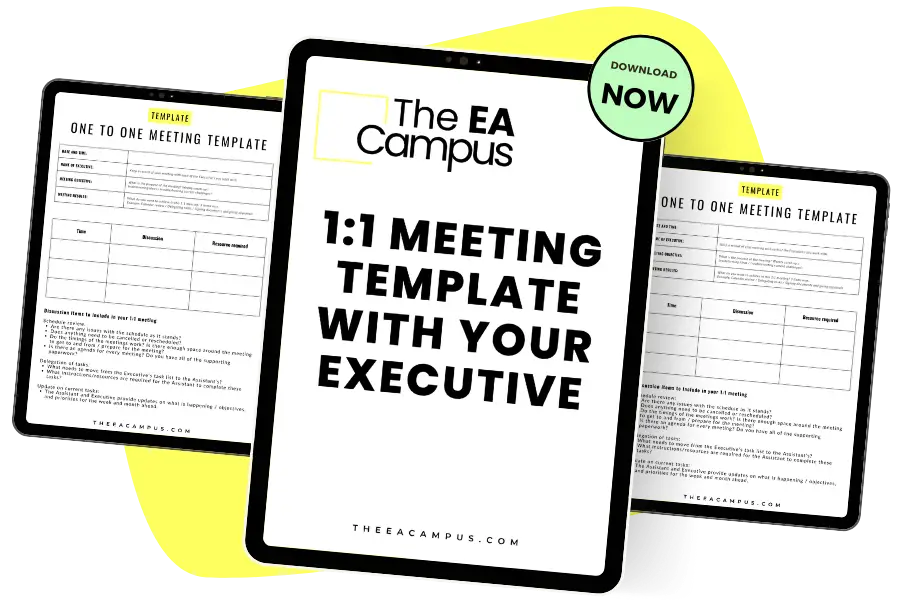
The 1:1 Meeting Template for Executives and Assistants provides the steps to ensure that when you have a one-to-one meeting with your Executive, you cover all the work you need to and maximise your time together.
When you’re working with multiple Executives in the EA role, the first thing you need is a structure that works for everyone. Before the scheduling, inbox wrangling, and meeting prep begins, it’s essential to set a foundation that makes your support clear, fair, and sustainable.
The initial conversations you have with each Executive are crucial. These set the tone for the partnership and define how you’ll work together. Be clear from the outset that you’re supporting multiple Executives. That transparency is key to managing expectations and avoiding misunderstandings down the line.
When working with multiple Executives in the EA role, clarity around time division is essential. If you’re supporting Executives who are peers, you’ll want to aim for a fair split of your time, based on team size, current projects, and their availability. If one of your Executives is more senior or the others report into them, then naturally, more of your time may go to that individual. Make this explicit in your early conversations so everyone is on the same page.
Understanding each person’s working style, core hours, and availability makes everything easier. One Executive might be an early bird who needs you online by 8am. Another may not start their day until mid-morning. You’ll likely need to adapt how you support each one, but also be honest about your own working style and when you’re at your best. These details matter when you’re working with multiple Executives in the EA role because they help you set boundaries that protect your time and energy.
Don’t underestimate the value of a joint conversation with all of your Executives early on.
If possible, gather everyone to walk through the structure of your support. It helps them see the bigger picture and gives you space to explain how you’re allocating time, managing competing deadlines, and keeping communication open. When you’re working with multiple Executives in the EA role, a shared understanding is your best asset.
The structure you create at the start will support everything else you do. Take the time to build it properly, and you’ll be in a stronger position to balance expectations, priorities, and people.
When you get this right, working with multiple Executives in the EA role becomes far more manageable. And you’ll find you can deliver strong support without losing sight of your own capacity.
Here are some example questions you can ask each Executive to help shape the structure of your working relationship:
What are your usual working hours?
When do you prefer to have meetings?
Do you have any non-negotiable personal commitments during the workday?
What times of day are you most productive?
How do you like to communicate – email, Slack, WhatsApp, phone?
Do you prefer daily check-ins or a weekly catch-up?
Are there any meetings or routines you want me to attend or track?
What are your top three priorities this quarter?
Who are your key stakeholders I need to be aware of?
How far in advance do you like your calendar planned?
How do you want me to manage your inbox?
What level of visibility do you want on my time?
Do you want a shared task list or document to track work?
How should we flag urgent vs non-urgent requests?
Are you open to shared planning sessions with your fellow Executives?
How should we handle conflicting deadlines between you and other Execs?
What does great support look like for you?
How do you like to receive updates – bullet points, calls, docs?
Are there any systems or tools you prefer I use?
How often do you want to review and adjust our working approach?
These questions will help you shape a supportive, tailored structure for working with multiple Executives in the EA role. Don’t feel like you need to ask all of them at once – pick what’s most relevant and revisit as the relationship evolves.

When you’re working with multiple Executives in the EA role, communication isn’t just important – it’s everything. Without a solid communication rhythm, things fall through the cracks, expectations get misaligned, and you end up firefighting instead of staying ahead.
Start by building regular check-ins into your week. A short daily catch-up or a longer weekly meeting with each Executive keeps everyone aligned and gives you the chance to update them on your progress, ask questions, and flag any potential clashes. When you’re working with multiple executives in the EA role, having those consistent touchpoints helps you manage expectations and stay proactive.
Use these check-ins to clarify your current bandwidth. Let your Executives know where your time is being spent, what’s coming up next, and where you may need to shift priorities. This visibility makes it easier for them to understand your workload and support your decisions when conflicts arise.
Don’t rely solely on meetings.
When you’re working with multiple Executives in the EA role, quick updates can be just as important. Shared documents or collaborative task boards can provide real-time updates that everyone can access, reducing the back-and-forth. Instant messaging tools like Slack or WhatsApp can also keep the lines of communication open without adding to the inbox chaos.
And yes, emojis can be part of your toolkit. A simple thumbs-up or checkmark can confirm you’re on it without needing to type out a full reply. If you and your Executive are aligned on what certain symbols mean, you can move faster with less friction. It might sound small, but these little tweaks add up when you’re working with multiple executives in the EA role.
The goal here is visibility, not formality. You want to be reachable, responsive, and clear. When each of your executives knows how and when they can reach you, and they understand how you’re supporting others too, you reduce confusion and increase trust.
Great communication is the foundation of great support. And when you’re working with multiple executives in the EA role, that foundation needs to be rock solid.
1. Weekly Executive Sync Schedule (Calendar-Based Workflow)
Maintain regular, structured check-ins with each Executive to create space for open communication, trust-building, and forward planning. These syncs give you dedicated time to align on current priorities, upcoming events, and shifting workloads – essential when you’re working with multiple executives in the EA role. Establishing this rhythm early makes everything else easier: fewer misunderstandings, clearer priorities, and better overall visibility into your day-to-day support. Workflow:
Share bandwidth updates.
2. Bandwidth & Priority Tracker (Visibility Workflow)
Show how your time is allocated across execs to support workload transparency. When you’re working with multiple executives in the EA role, it’s essential that each of them understands your capacity at a glance. A clear visual representation of your workload helps reduce overloading, prevents duplication of requests, and encourages empathy when competing priorities arise. It also gives you a stronger footing to negotiate deadlines, shift timelines, and protect your time without needing to constantly explain or justify every decision. Workflow:
3. Centralised Status Hub (Project/Task Management Workflow)
Maintain real-time visibility across multiple workstreams. When you’re working with multiple Executives in the EA role, you’re often managing parallel projects, deadlines, and deliverables that overlap in unexpected ways. A centralised status hub gives both you and your executives the ability to track progress without needing constant updates or reminders. It also fosters transparency between executives, especially when your time and tasks are interconnected. By offering a high-level view and detailed tracking in one place, you build trust and reduce duplication or confusion, making it easier for everyone to stay aligned. Workflow:
Include due dates, owners, and links to relevant documents.
4. Quick Update Rituals (Micro-Communication Workflow)
Maintain momentum without overwhelming inboxes. When you’re working with multiple Executives in the EA role, it’s important to strike a balance between staying responsive and avoiding communication fatigue. These quick updates keep things moving without the burden of long emails or constant calls. They help you keep all your Executives in the loop while still protecting your focus and avoiding the feeling that you’re constantly ‘on’. Micro-communication makes it easier to be agile, especially when priorities shift quickly or decisions need to be made on the fly. Workflow:
5. Communication Playbook (Clarity Workflow)
Set shared expectations on how and when to communicate. When you’re working with multiple Executives in the EA role, clarity is non-negotiable. Without defined communication norms, messages get missed, updates get buried, and frustration builds on both sides. A clear communication playbook removes the guesswork. It allows your Executives to know how best to reach you, when to expect responses, and how you’ll stay in sync week after week. It also empowers you to establish healthy communication boundaries, which are vital when your day is full of shifting priorities and rapid-fire tasks. Workflow:
Document each Executive’s preferences in a shared EA Communication Playbook, including:
Preferred tools (email, Slack, text)
Response time expectations
Meeting cadence
Emoji/code shorthand meaning
Emergency protocols
Update this quarterly and reshare if expectations change.
Each of these workflows has been tested and refined while working with multiple Executives in the EA role. They’re designed to help you streamline communication, increase visibility, and reduce unnecessary friction in your day-to-day support.
When you’re working with multiple Executives in the EA role, mastering your time is non-negotiable. You’re not just managing your own schedule; you’re responsible for multiple calendars, competing priorities, and the constant flow of urgent requests. To stay ahead, you need to plan with intention, prioritise with confidence, and protect your time like it’s your most valuable resource (because it is).
Let’s start with your calendar.
Color-coding has benefits beyond aesthetic appeal. It gives you one of the fastest ways to get a visual grip on who and what needs your attention. Assign each Executive a different color across your calendar, inbox labels, and to-do list. This quick visual cue helps you see at a glance where your time is going and spot conflicts before they become problems. When you’re working with multiple Executives in the EA role, these little efficiencies really add up.
Calendar blocks are your next best friend. Protect time for travel, deep work, and even short breaks – both for you and your Executives. It’s easy to let every open space get swallowed up by meetings, but a well-placed buffer can make a huge difference in energy and focus. Blocking time shows you’re being intentional with your schedule, not that you’re unavailable.
Working across time zones?
Welcome to the global EA life. Whether you’re coordinating between London and Singapore or just juggling GMT and IST, use tools like World Time Buddy to schedule smartly. If live catch-ups are tough, lean into async updates. A detailed Slack message, recorded Loom, or shared doc update can replace a live meeting when needed.
Flexibility is key when you’re working with multiple Executives in the EA role.
Finally, always leave a little breathing room. Build space into your day for the unexpected – because it’s coming. Whether it’s a last-minute board prep or a schedule change due to a delayed flight, giving yourself even a 15-minute buffer can help you stay calm and responsive instead of reactive.
Time management when you’re working with multiple executives in the EA role is all about creating control, not chasing perfection. With a few smart systems in place, you can own your time, support your executives better, and breathe a little easier too.
When you’re working with multiple Executives in the EA role, the basics of time management are just the beginning. As the demands grow more complex, we need to lean on modern strategies that bring structure, clarity, and flexibility to our week. In this section, we’ll walk through practical, tried-and-tested techniques that help you keep multiple plates spinning, without losing track of what matters most.
What it is: Assign a specific task to each time slot and theme your days (e.g., Monday = meeting prep, Tuesday = inbox zero, Friday = reporting & wrap-up).
Why it works: When you’re working with multiple Executives in the EA role, this approach prevents context switching and brings clarity to your day. It helps you batch similar tasks and create dedicated focus time for each Executive.
EA Tip: Batch tasks like inbox management or agenda building by Executive: “9–10am: VP1 weekly agenda build.”
What it is: A decision-making method using Reach, Impact, Confidence, and Effort (RICE) to determine priorities.
Why it helps: When supporting multiple Executives, this gives you a clear, data-informed way to decide where your attention goes and communicate your rationale.
EA Tip: Use this method when multiple high-priority requests land at once – it’s a fair way to show how decisions are made.
What it is: A daily habit of scanning ahead seven days to flag conflicts, prep deliverables, and anticipate challenges.
Why it works: When you’re working with multiple Executives in the EA role, this ensures you’re always planning ahead rather than reacting.
EA Tip: Add a 15-minute daily calendar block with a checklist: calendar conflicts, priorities, follow-ups, and document deadlines.
What it is: A Notion, Airtable, or Google Sheet dashboard that tracks each Executive’s goals, projects, and timelines in one place.
Why it helps: Centralising everything keeps you and your Executives aligned without chasing updates. When you’re working with multiple Executives in the EA role, these dashboards act like mission control.
EA Tip: Include time blocks, links to key docs, and quick-glance bandwidth indicators.
What it is: Triage emails using a system like the Four D’s (Do, Delegate, Defer, Delete), adapted for multiple inboxes and accounts.
Why it helps: When you’re switching between inboxes across Executives, this structure prevents overwhelm and increases focus.
EA Tip: Use filters, folders, and tools like Superhuman or Gmail labels to spotlight what matters per Executive.
What it is: Add blocks in your calendar specifically for thinking, planning, and recovery.
Why it helps: Working with multiple Executives in the EA role can be intense. Planning white space ahead protects your bandwidth and avoids burnout.
EA Tip: Treat these holds like board meetings. They’re non-negotiable time to recalibrate and stay ahead.
What it is: Replace live updates with async tools like Loom, Slack threads, or bullet-pointed Google Docs.
Why it works: When you’re working with multiple Executives in the EA role, especially across time zones, this method keeps everyone updated without needing to align calendars.
EA Tip: Record short recap videos or written updates weekly. It keeps momentum going even when live meetings aren’t possible.
When you’re working with multiple executives in the EA role, one-size-fits-all simply doesn’t work. Each Executive has their own way of doing things – how they communicate, how they like their calendar set up, and how they respond to changes. As their Assistant, you’re not just expected to adapt – you’re expected to anticipate.
Let’s start with communication.
Some Executives love a good Slack thread. Others want everything neatly summarised in an email. A few still prefer a phone call over anything else. The key is to learn these preferences early and tailor your routines accordingly. It might mean using Slack for daily updates with one exec, while sending a weekly digest email to another. The consistency matters, but so does the format.
The same goes for calendar habits.
One Executive might thrive on back-to-back meetings and expects their day to be packed. Another might need 15-minute buffers between every call to reflect and reset. When you’re working with multiple Executives in the EA role, knowing these details helps you avoid unnecessary friction and helps your executives stay productive and focused.
Think of yourself as a translator. You’re interpreting needs, smoothing over style clashes, and making sure everyone operates in a way that works best for them. If you’re supporting a high-level strategist and a detail-obsessed operator at the same time, you’ll need to flex how you prep, how you chase actions, and how you share information. Juggling tasks is only part of the job; you also need to flex your communication and workflow style to bring out the best in each executive.
Let’s look at some real-world examples:
You might use WhatsApp to send quick lunchtime approvals to your APAC-based exec while also prepping a Monday morning meeting summary for your UK-based exec who prefers longer written updates.
Your VP of Marketing may want their calendar to reflect creative breathing space, while your COO expects a tight, efficient schedule with no wasted gaps.
Supporting both execs might mean tailoring your own weekly workflows: Slack reminders for one, detailed Google Doc agendas for the other.
When you’re working with multiple executives in the EA role, your ability to adapt is key. Get to know their rhythms. Ask about preferences. And be ready to adjust when those preferences evolve. That kind of agility is what makes us indispensable.
When you’re working with multiple executives in the EA role, it’s not enough to just understand how they differ – you need systems that help you support them without dropping a beat. These tools and workflows are designed to keep you in sync with each Executive’s unique preferences while maintaining your own sanity.
A one-stop reference to capture and track each executive’s working style.
What to include:
Modern twist: Build this into Notion, Airtable, or Coda for searchable, filterable access. Add tags for exec type (e.g., “strategic,” “creative,” “ops”).
This workflow helps avoid scheduling friction and maintain rhythm across different styles. Workflow:
Tool tip: Use tools like Clockwise or Reclaim.ai to auto-enforce preferences like smart meeting spacing or recurring focus time.
This system helps deliver the right message, the right way, to the right Executive – every time. Template Columns:
And the workflow:
This method helps structure your week around how each exec works best. New way of working: Theme your week by Executive and energy type:
Add a recurring reminder to “update preference notes” as habits evolve. Use AI-based tools like Motion or Sunsama to plan this time dynamically around calendar constraints.
This tracker keeps you agile as execs change habits, teams, or tools. Workflow:
This approach keeps workflows efficient even when personalised. Modern tools:
Use Zapier or Make.com to send different types of end-of-week updates based on exec preference (e.g., generate Google Doc digest for one exec; auto-send Slack message to another)
Set up text expansion snippets (via TextExpander or Raycast) to auto-fill your most common Slack updates or email intros, customised per Executive style.

When you’re working with multiple Executives in the EA role, navigating conflicting priorities is part of the job. We’ve all been there – two urgent requests landing at the same time, both marked as “top priority,” and both from execs who expect a quick response. These moments can be stressful, but they’re also where we prove our value.
The key is not defaulting to yes.
Instead, ask clarifying questions. What’s the deadline? Who’s the audience? What are the knock-on effects if this is delayed? By gathering this context, you’re not saying no – you’re offering informed choices. That’s what sets great assistants apart.
Your confidence in these situations will grow when you stay transparent and stay calm. Let your Executives know how you’re prioritising. If you’re working on a board pack for one exec and a last-minute meeting request comes in from another, be honest. You can say, “Here’s what I’m currently working on. Would you like me to shift focus, or should I finish this first and circle back?”
Sometimes, it helps to bring everyone into the same conversation. Joint prioritization discussions work well when both executives are asking for high-stakes support at once. A quick three-way Slack thread, a shared agenda doc, or even a short call can create clarity and alignment fast.
Transparency builds trust. If your execs can see what you’re working on and how decisions are made, they’ll be more likely to support your choices. This is where your tracking tools come in handy – a visible bandwidth tracker, a shared priorities doc, or even a quick end-of-day update can give everyone clarity.
Working with multiple Executives in the EA role means walking a fine line between being flexible and setting boundaries. You’re not just here to complete tasks; you’re here to manage priorities in a way that drives impact. And the more confidently you handle those conflicts, the more trust and autonomy you’ll earn.
Here’s a quick decision-making exercise you can use when competing priorities land in your inbox and a full conversation with your executives isn’t necessary.
Scan for Deadlines: Which task is due first? If deadlines are similar, move to step 2.
Assess Impact: Who will be most affected if this doesn’t get done today? Consider visibility, team dependency, and executive expectations.
Check Alignment: Which task is more closely aligned with your executives’ or company’s current priorities or strategic goals?
Gauge Effort: Is one task a quick win while the other is a heavy lift? Can you knock something out fast to free up capacity?
Make the Call: Use your judgement. Back yourself. If you’ve handled similar situations before, use that experience to move forward without hesitation.
Update Accordingly: Once you’ve made the decision, update your priorities tracker or send a quick heads-up to the exec whose task you’re deferring.
This loop relies on your existing knowledge, not guesswork. When you use it regularly, it becomes easier to trust your instincts and make confident decisions without always needing sign-off. Next, we’ll look at how to strengthen those relationships over time so you’re not just reacting to priorities, but helping shape them too.
When you’re working with multiple Executives in the EA role, handling competing priorities becomes a lot easier when you understand the bigger picture. The more plugged in you are to the business and your executives’ goals, the more confident you’ll feel making decisions on your own, and the more trust you’ll earn when you do.
One of the best things you can do is sit in on key meetings.
If you’re not already invited to business reviews, planning sessions, or leadership calls, ask to be added. These meetings give you context that no Slack message or email ever will. You’ll start to hear the strategic goals firsthand and spot the projects and people your executives care most about.
We’re here to do more than take notes or track actions. We’re here to understand what’s driving the business forward. That means asking strategic questions, not just task-based ones. How we frame our questions can shift the entire conversation. Here are a few examples:
Learning the language of each Executive’s department or region helps too. Whether you’re supporting a VP of Sales or a Head of Engineering, tuning into how they frame success will help you become an extension of their team. You’ll be able to filter information better, prepare more relevant documents, and catch things before they escalate.
Sitting in on regular business reviews can completely shift how we work as Assistants. It helps us understand the broader business ecosystem – how departments connect, which metrics actually matter, and how to anticipate needs before they’re even voiced. With that kind of insight, it becomes easier to handle conflicts between executives because we can confidently prioritise based on what truly drives the business forward.
If you’re working with multiple Executives in the EA role, staying curious and informed is one of the most valuable tools you have. Keep asking, keep listening, and don’t be afraid to take up space in the room.
Working with multiple executives in the EA role takes strategy, intention, and resilience. You’ve got to be sharp, proactive, and a little bit stubborn about protecting your time and energy. Let’s pull together the final two themes to wrap this guide up.
Supporting multiple Executives doesn’t mean you should sacrifice your well-being. You’re a critical part of the team, not a machine.
Know your peak productivity hours and plan your most demanding work during those times.
Don’t try to be available 24/7. Boundaries are essential—build a schedule that works for you and helps you show up at your best.
Block time for lunch and breaks, and encourage your executives to do the same. It shows leadership and sets a good example.
Accept that you can’t do everything at once. Communicate openly about your bandwidth and be confident in how you manage it.
Lean on Your Network and Keep Evolving
You don’t have to figure everything out on your own. The best EAs I know are constantly learning, tweaking, and sharing what works.
Supporting multiple Executives in the EA role can stretch you, but it also gives you more room to grow than almost any other setup. With the right systems, communication, and mindset, you’ll not only manage – you’ll lead.
Share this article:
Join 30,000+ Assistants receiving our carefully crafted weekly newsletter packed with valuable tips, tricks, and insights tailored specifically for Assistants like you.