If you have ever tried to explain to someone how something works in your team and found yourself saying, “well first this person does this, then it goes to finance, then legal reviews it, then it comes back to us,” you have already experienced why process mapping matters.
As EAs, we sit in the middle of many moving parts. We coordinate people, information, approvals, meetings, projects, and decisions that move across different teams. A lot of that work lives in our heads. We know the order things happen in, who needs to approve something, where the bottlenecks are, and work often gets stuck.
The challenge is that the rest of the organization often cannot see that full picture. Your Executive might see the final output. A project team might see only their piece of the work. Finance sees the approvals. Legal sees the documents. As EAs, we see the whole chain of activity. This is where process mapping as an exercise becomes extremely useful.
Process mapping simply means writing down and visually mapping how a workflow actually moves from start to finish. It shows the steps involved, the people responsible, and the decisions that happen along the way. Once the process is visible, it becomes much easier for everyone involved to understand how work moves through the organisation.
In this guide, we will explore how process mapping works in practice for EAs. We will look at how to map processes you already manage every day, from meeting preparation to project coordination, and how these maps can help you and your Executive run work more clearly across the team and between yourselves. Most EAs are already managing processes, whether they call it that or not. Process mapping simply gives you a way to capture that knowledge and share it with others.
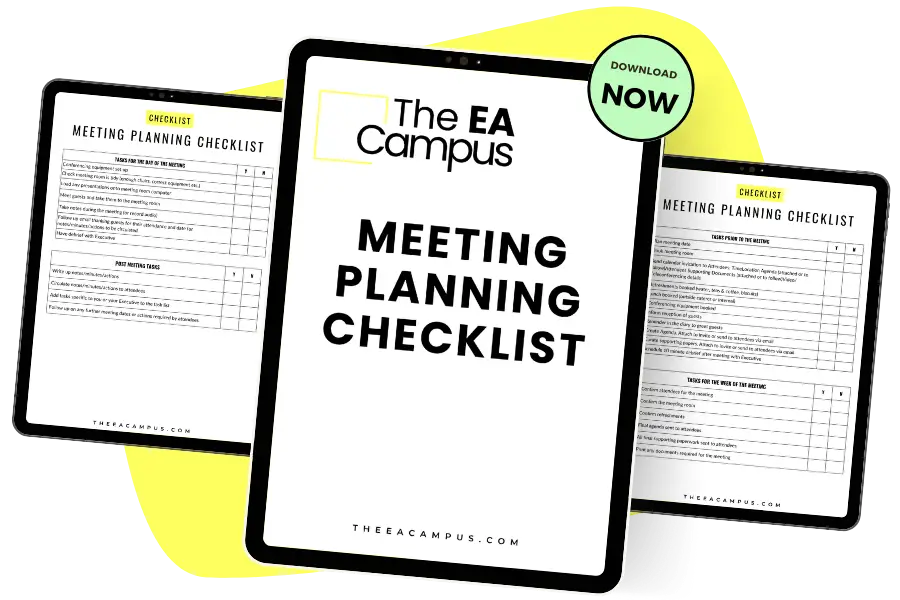
Ensure that every meeting is planned meticulously and that your Executive is prepared for every meeting they attend with our free Meeting Planning Template for Executive Assistants.
In its simplest form, process mapping is a way to document how work moves from start to finish in a visual format. Instead of explaining a workflow in a long email or a meeting, you create a simple map that shows the steps, who is responsible for each step, and where decisions happen along the way.
For Executive Assistants, this connects directly to the work we already manage every day. A large part of the EA role involves coordinating work across people, teams, and systems. In many cases, we see how different pieces of a workflow connect because requests pass through us, approvals need to be tracked, and information often moves back and forth before it reaches our Executive. At the same time, like everyone else in the organization, we sometimes see only part of the process. Mapping the workflow helps bring those pieces together so the full sequence becomes clearer for everyone involved.
Process mapping helps make that knowledge visible. Once a process is mapped, everyone involved can see how the workflow moves across the organization. It becomes easier to explain responsibilities, clarify the order of tasks, and make sure work reaches your Executive at the right time.
Taking that down to our roles specifically, many of the processes EAs manage are ideal candidates for process mapping. For example, you might map the steps involved in preparing an Executive meeting, from gathering materials to sending the final brief. Travel planning is another common example, especially when approvals, budget checks, and itinerary coordination involve multiple teams. Event planning, expense approvals, board reporting, and project coordination can also benefit from having a clear process map.
When you start mapping a workflow, one of the first things you notice is how many people are involved in getting a single piece of work completed. A request might start with your Executive, move through you, pass to finance, then legal, and eventually circle back again. Writing the process down makes those connections easier to see, especially when several teams are involved, and everyone only sees their own part of the work.
As EAs, we all know how much time we spend time chasing information, confirming approvals, and answering questions about how something moves forward. A process map gives everyone a shared reference point. Instead of explaining the same workflow repeatedly, you can walk someone through the steps and show how the work moves across the team.
Another benefit is that once the process is visible on the page, small issues become easier to notice. You might see two approvals doing the same thing, an email chain that adds very little value, or a step or person that creates delays every time the process runs. Mapping the workflow does not solve these issues on its own, but it allows you to identify them so you or the team can decide what to adjust.
There is also a very practical reason why process mapping is super helpful, specifically for EAs, and that many of you will recognize. Sometimes someone skips a step in the process, bypasses your part of the workflow, or asks you to complete something that actually should be their responsibility. When the process is mapped, and you have a clearly defined plan of how this work is supposed to happen, you can push back. You can simply point to the process map and show where that step sits and who is responsible for it.
The benefit goes beyond your role, though; your Executive can also get value seeing how certain workflows operate across the organization. Many executives see the final output of a process, be it a report, a meeting brief, or a project update. A simple map gives context around how that work comes together and who contributes along the way. If you’ve ever felt or said that your Executive doesn’t know what you do, a process map detailing some of your workflows will help with that issue. Process mapping can also help when your Executive is deciding where to adjust their expections for example, timelines, approval deadlines, or responsibilities.
Process maps are even more helpful when someone new joins the team. A new Assistant or colleague can look at the map and understand how the workflow runs without needing a long explanation. It shortens the time it takes for someone to feel comfortable with the process and reduces the number of questions that land back with you.
It doesn’t stop there. Process mapping is also really helpful for work that sits entirely with you. Many EAs manage their own workflows that rarely involve other teams, such as preparing weekly Executive briefings, managing recurring reports, or email management.
Writing these steps down can bring clarity to your own routine.
You can see where time is being spent, where tasks repeat each week, and where small adjustments could make the process easier to manage. And then, once a workflow is mapped, you also have a starting point for improving how the process runs. You can move steps earlier in the sequence, clarify responsibilities, or remove tasks that no longer add any value. Over time, you’ll notice that these small adjustments make the process easier for everyone involved, including you and your Executive. Happy days!

When people first read about process mapping, they often encounter long lists of map types and technical diagrams; it can be a bit much. In reality, most Executive Assistants only need a small number of these formats to map out what you do. It doesn’t have to be massively complicated; it’s simply to make a workflow visible so that people understand how work moves from one step to the next, or you understand that for your own work.
The best place to start is to map processes related to meetings, projects, approvals, reporting, and travel coordination. Workflows for these parts of the role do not require complex technical diagrams, so a few clear formats will cover most situations you deal with in the role. Let’s have a quick look at the most common process maps.
The most common type of process map you will use as an EA is a simple flowchart. This format shows a process in sequence from start to finish. Each step is written in order so anyone looking at the map can see how the workflow progresses.
For example, you might create a flowchart to prepare for an Executive meeting. The map could begin with the meeting request, move through gathering materials and preparing the agenda, and finish with sending the final brief to your Executive.
Flowcharts work well when a process follows a clear order and when the goal is simply to make the steps visible to others.
A swimlane diagram is useful when several teams are involved in the same workflow. Instead of listing steps in one column, the diagram separates the process by role or team. Each lane represents a person or department. As the process moves forward, the steps appear in the lane of the person responsible for completing them. This format works well for processes that move between departments. For example, an event planning workflow might move between you, finance, marketing, and your executive. A swimlane diagram helps everyone see where their responsibility begins and ends.
Sometimes you do not need to document every small step in a workflow. A high-level process map focuses on the main stages instead. This type of map is helpful when explaining a process to your Executive or to senior leaders. It gives a clear overview of how work moves without getting into operational detail.
For example, a high-level map for board reporting might show the stages as information gathering, draft preparation, Executive review, and final distribution.
Most of the time, you will know which format to use based on what you are trying to explain. If the goal is to show the sequence of tasks, a flowchart usually works best. If several teams are involved and responsibilities need to be clear, a swimlane diagram is often easier to understand. When the audience only needs the bigger picture, a high-level process map is usually enough. As with most tools in the EA role, the goal is clarity. The best process map is the one that helps your Executive and your colleagues quickly understand how the work moves from start to finish.

The easiest way to start creating a process map is to pick a task or workflow you already manage regularly and write down how it actually happens in practice.
Start with a workflow that regularly creates questions, back-and-forth messages, or last-minute pressure. These are often the processes where no one has ever written down the steps. Good examples of tasks that EAs would benefit from process mapping include travel approvals, Executive briefing preparation, event planning, board reporting, and expense approvals. These processes usually involve several people and multiple decisions, which makes them ideal candidates for mapping.
A helpful question to ask yourself is this.
Where do I spend time explaining how something works? If you find yourself describing the same process repeatedly, that workflow is a strong candidate for a process map. Again, if you have colleagues who are asking you to do that work for them when you know they should be doing it themselves – also good for a process map.
Next, list every person or team connected to the workflow. This step is important because many EA processes span multiple departments before reaching a final outcome. Depending on the process, this might include your Executive, finance, HR, legal, procurement, project teams, or external partners. In some workflows, you may also interact with senior leadership teams, board members, or event suppliers. Writing these roles down helps you see how the work moves across the organization and where responsibility sits at each stage.
Now write the steps exactly as the work happens today. The goal here is accuracy, getting it down on paper. Start at the point where the request first appears and follow the process until the work is finished. For example, a meeting preparation workflow might look something like this:
When you write the steps out in this way, the workflow becomes much easier to see.
Many EA workflows include moments when someone needs to approve something or make a decision before the process can continue, such as signing off on a meeting agenda or board deck. These are important to capture because they often influence how quickly the process moves forward.
To give a few more examples of decision points, you might include whether your Executive approves a meeting request, whether supporting documents for a client meeting are complete, or whether a travel request sits within your company policy. Including these decision points will help the process map reflect how the workflow actually operates.
Once the steps are written down, you can turn them into a visual process map. I have to stress, this does not need to be complicated. The goal is simply to make the sequence easy for others and you to understand
Many EAs create process maps using tools already available within the organization. PowerPoint works well for simple flowcharts. Tools like Miro, Lucidchart, or Visio can also be helpful when you want a clearer diagram. Some Assistants even sketch the first version on a whiteboard or a notebook before building the final version digitally.
The important point is clarity and understanding around the process. A simple visual map that people can follow is far more useful than a complex diagram that no one understands.
Once the map is drafted, share it with the people who participate in the workflow. Ask them to confirm whether the steps reflect how the process actually runs. This conversation often surfaces extra useful details you might not know or don’t have sight of. Someone may point out an informal approval step. Another colleague might explain that a document is reviewed earlier than expected. These small corrections help the map reflect reality rather than your assumptions.
When the workflow is visible, improvements become easier to identify, which is where you add loads of value as an EA. You can help your Executive and the wider team adjust the workflow so that requests move more smoothly and fewer things land back on your desk unnecessarily – it’s a win-win!
As I’ve written, you do not need specialized software to start mapping processes. In many cases, the tools you already use every day will work perfectly well. The goal is simply to make the workflow visible so other people can understand the steps, responsibilities, and decision points.
Many Assistants start with tools that already exist in the organization. PowerPoint is a common option because it lets you create simple flow diagrams quickly. Shapes and arrows are often all you need to map a sequence of steps.
For more structured diagrams, tools like Miro, Lucidchart, and Visio are widely used for process mapping. These platforms include templates that make it easier to arrange steps, decision points, and responsibilities into a clear visual map. They are particularly helpful when several teams are involved in the same workflow, and you want to create swimlane diagrams that show who is responsible for each stage.
Some teams also document processes inside knowledge platforms such as Notion or Confluence. These tools work well when you want the process map to sit alongside written instructions, supporting documents, and links to templates. A process map can sit at the top of the page with the detailed steps written below it so anyone new to the workflow can quickly understand how the process runs.
AI tools can also help when you are building a process map. Tools such as ChatGPT, Claude, or Microsoft Copilot can take a list of written steps and help you organize them into a clearer sequence. Many EAs find it useful to paste their notes into an AI tool and ask it to group the steps into stages or suggest where decision points might sit. That said, it helps to keep a close eye on what the tool produces. AI systems sometimes add extra steps or try to make the process more complicated than it needs to be. As EAs, we know how the workflow actually runs inside our teams, so it is always worth reviewing the output and simplifying it where necessary.
In practice, the best tool is the one that your team will actually use. A simple diagram that colleagues can easily access and understand is far more helpful than a perfect process map that lives in a tool no one opens.
Process mapping is one of those capabilities that fits really naturally within the EA role. We already spend a large part of our day coordinating work across people, teams, and systems. Writing those workflows down and turning them into a visible process map simply makes that knowledge easier for others to see. This will shift the way you approach your work. Instead of responding to the same requests again and again, you begin to shape how work moves through the team. Your Executive gains a clearer view of how tasks progress across the organization, and colleagues understand where their responsibilities sit within the process. For EAs who want to operate at a more senior level, process mapping is a practical skill that supports operational leadership, stronger Executive support, and clearer coordination across teams.
Share this article:
Join 30,000+ Assistants receiving our carefully crafted weekly newsletter packed with valuable tips, tricks, and insights tailored specifically for Assistants like you.