
If you have ever replied to your Executive at 9:30pm and wondered when exactly after-hours availability became part of your job, you are probably not alone.
For most of us, it never started with a conversation. It started with one message on a Sunday evening that we answered because it was quick and we wanted to help. Then a call from an airport lounge. Then a “just checking you saw this” text at 10pm. And before long, being reachable all evening had become how the role works, even though nobody ever sat down and agreed it.
I’m guessing this sounds familiar?
As EAs, we want to be the person our Executive can count on, and being responsive is a big part of that. But being responsive and being reachable at any hour are two different things, and which one you’ve signed up for is something you can agree with your Executive rather than something that just happens to you.
So in this blog post, we are going to look at why after-hours availability tends to creep, what the research says about the expectation of being reachable, the roles where 24/7 access is part of the deal, and how to have the conversation with your Executive so you both know where you stand.
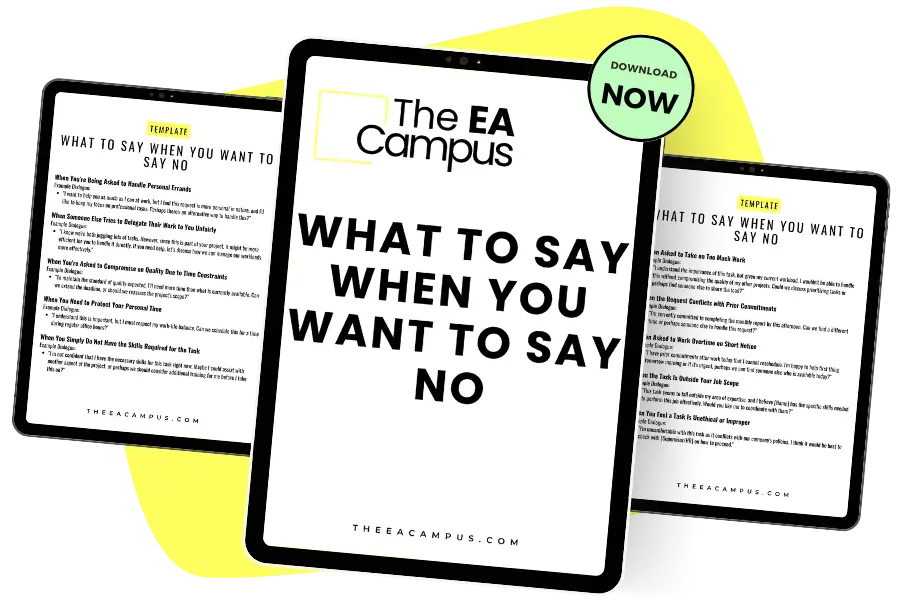
This template provides you with practical, ready-to-use dialogues tailored for various common scenarios where you might need to refuse a request at work. Equip yourself with the right words to handle difficult conversations gracefully.
This is usually where it starts for EAs. Nobody tells us we need to be available in the evenings, so we assume we do, just in case.
And research suggests the assumption itself might be part of the problem. A study by William Becker of Virginia Tech, Liuba Belkin of Lehigh University and Samantha Conroy of Colorado State University found that the expectation of checking email after hours, whether it was real or just perceived, wore people down more than the time they actually spent on email. The study is from 2016, and I’d be surprised if things have gotten any easier since.
So what does that mean for EAs? If nobody has told you what’s expected, you will probably assume the most demanding version, because planning for the worst case is what we do for a living. Which means unclear after-hours availability might well be more tiring than a clearly agreed version of the very same hours.
The data suggests the working day is getting longer at both ends, too.
Microsoft calls this the infinite workday. Its Work Trend Index report from June 2025 found that meetings after 8pm were up 16% year on year, the average employee was sending or receiving more than 50 messages outside core business hours, and nearly 20% of employees who work weekends were checking email before noon on Saturday and Sunday. That’s a lot of evenings.
Now add the things that are specific to our role. An Executive in a different time zone. A board pack due first thing Monday. A connecting flight canceled at 11pm. An Executive who does their best thinking on a Sunday night and wants to get it out of their head before they forget it.
Some of that will always need you. What helps is deciding, together with your Executive, which parts need you and how they should reach you when they do.
I want to be clear about something here, because not every EA role works the same way.
Some Executives do want 24/7 access to you, and that can be a perfectly good role for the right person. But if that’s the job, it has to be clear, really clear, up front. It should be in the job description, discussed at interview and reflected in your pay. That level of after-hours availability is a condition of the role that you agree to with your eyes open, and it shouldn’t be something that sneaks up on you or develops over time.
And if it has crept up on you? Then you need to set the parameters again with your Executive.
If you are happy to work those hours, that means asking for a raise that reflects them. If you are not, it means setting boundaries. Either way, the conversation needs to happen, because working around-the-clock hours on a salary that was set for office hours rarely works out well for you, or for your Executive, for very long.
If you are heading toward the raise conversation, our recent post on salary negotiation is a good place to start.
Whether your role is 24/7 or strictly office hours, the agreement covers the same ground. These are the four things I’d want written down.
This is the one everything else depends on, because “urgent” means very different things to different people. For one Executive it’s a board member trying to reach them, or a trip falling apart mid-journey. For another, it’s a draft they’ve just finished and want you to see tonight. Look back at the last month of evening messages together and sort them into “needed me that night” and “could have waited until morning”. You will probably both be surprised by how much ends up in the second pile.
If urgent means a phone call, then you can stop checking email, Slack, Teams and WhatsApp all evening in case something important is hiding in there. One channel for urgent, and everything else waits until the morning. It sounds simple, but it might well be the change that makes the biggest difference to your evenings.
Put real times on it. For example, messages after 7pm get a reply by 8:30am the next working day, and calls get answered straight away. Choose times that suit you and your Executive, but make them actual times so neither of you has to guess.
Vacation, sick days, weekends when you’re away. Is there a named backup, or does it wait until you’re back? If this isn’t agreed, the default is usually that you check in from the beach (and I’m guessing some of you have done exactly that).
Once those four are agreed, after-hours availability stops being a guess for both of you.

This is the part most of us put off because we worry that asking for clarity will make us look less committed.
The trick is to start from what your Executive needs. They want to know that when something urgent happens, it gets handled fast. Agreeing your after-hours availability gives them exactly that, and it gives you your evenings back for everything else.
Instead of saying, “I can’t keep answering messages in the evening,” try, “I want to make sure that when something urgent comes up after hours, you get a fast answer from me, and that everything else is picked up first thing in the morning. Can we agree what counts as urgent and how you’ll reach me when it is?”
Can you see the difference? The second version starts from what your Executive needs, which makes it much easier for them to say yes.
Then suggest a four-week trial. It feels lower stakes for both of you, and it gives you real evenings to review rather than hypothetical ones. Put the review in the calendar before you leave the conversation.
And pick your moment. Your regular one-on-one is ideal, and a passing conversation at 6pm on a Friday probably isn’t.
If you read our recent post on Agreeing How AI Gets Used With Your Executive, you’ll recognize the approach. You’re taking something that has been assumed, making it visible, and agreeing it together.
Once you’ve agreed it, write it down, so neither of you has to remember what was said three months ago.
Some governments are already asking organizations to do something similar. In Ontario, Canada, employers with 25 or more employees must have a written policy on disconnecting from work, which means not engaging in emails, calls, video calls or messages outside working hours. The law requires the policy rather than creating a new right to disconnect, but the principle is a useful one. If it’s written down, nobody has to guess.
If your organization already has a policy like this, start there, and check with HR before you agree anything that sits outside it.
Your one page needs these headings:
Keep it to one page, keep it somewhere you can both find it, and share it with anyone who covers for you.
An agreement like this is never really finished. It needs revisiting whenever the shape of the job changes.
That might be a busy season like year-end or a board cycle, a run of international travel, a new Executive, a new time zone, or a change in your own life outside work.
And if you notice you’re answering more evening messages than you agreed, that’s your cue to go back to your Executive and revisit it, rather than absorbing it and hoping it passes.
Agreeing your after-hours availability won’t stop every 9pm message, and in a lot of roles it shouldn’t. But it does mean that when your phone rings in the evening, you both know why, and you can pick it up without resenting it. And an Executive who knows exactly when and how they can reach you is an Executive who can trust you with everything else.
Share this article:
Join 30,000+ Assistants receiving our carefully crafted weekly newsletter packed with valuable tips, tricks, and insights tailored specifically for Assistants like you.